Stopped, but still listed
Medications the patient no longer takes remain active in the record. In the cumulative Week 11 pilot findings, 259 observations, approximately 54% of discrepancies, involved outdated or inactive medications still listed.


TheraCareAI · Patient-Facing Platform by Leap of Faith Technologies
TheraCareAI brings a patient's medication records together, compares them with what they actually take, and produces a verified list they can share with every clinician they see.
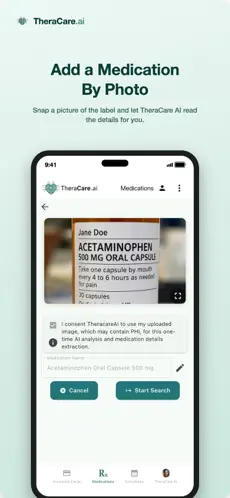
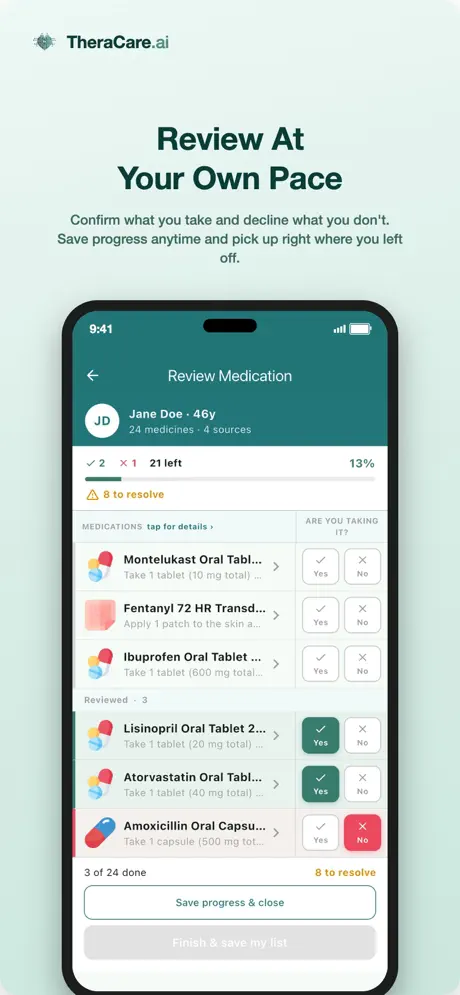
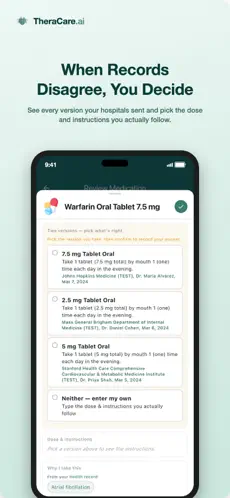
TheraCareAI is being piloted with Advocate LLC, our patient advocacy partner. These are cumulative results through Week 11 of the 13-week pilot, comparing medication information from the EHR and Exchange against a list reviewed directly with each participant and verified by a healthcare professional.
The problem
Patient portals provide access to documented medications. Those records may differ from what the patient currently takes.
A list retrieved from a health record shows what was prescribed or documented over time. It doesn't show what the patient stopped, what another clinician started, what dose they actually take, or what they never filled.
At intake, staff may transcribe a list from memory or paper. Differences can carry forward when the list is not reviewed with the patient.
Medications the patient no longer takes remain active in the record. In the cumulative Week 11 pilot findings, 259 observations, approximately 54% of discrepancies, involved outdated or inactive medications still listed.
Medications the patient does take never made it into the chart.
Small entry errors that can change a clinical decision.
A Week 11 example
Amlodipine 5 mg and metoprolol remained listed for a participant who was no longer treated for hypertension.
If administered, those medications could create a risk of significant hypotension.
This de-identified example illustrates a potential safety concern, not evidence that harm occurred or was prevented. TheraCareAI flags mismatches for review with the patient and their healthcare professional.
How it works
The patient installs TheraCareAI and authorizes access to their health records. Medications are retrieved from connected EHRs and cross-checked against Exchange information. A photo of a discharge medication list can also support the baseline.
TheraCareAI lines up what each source says against what the patient reports actually taking. Every difference is kept and tracked by source, rather than blended into one list that hides where the disagreement came from.
A clinician or patient advocate reviews the differences with the patient and establishes a verified active medication list. The patient can share it with their care team and bring it to every visit.
TheraCareAI flags differences. A clinician or advocate reviews them with the patient.
Step by step
Before you begin: locate your patient portal username and password for the hospital you attend. Having them ready is the smoothest way to connect your records.
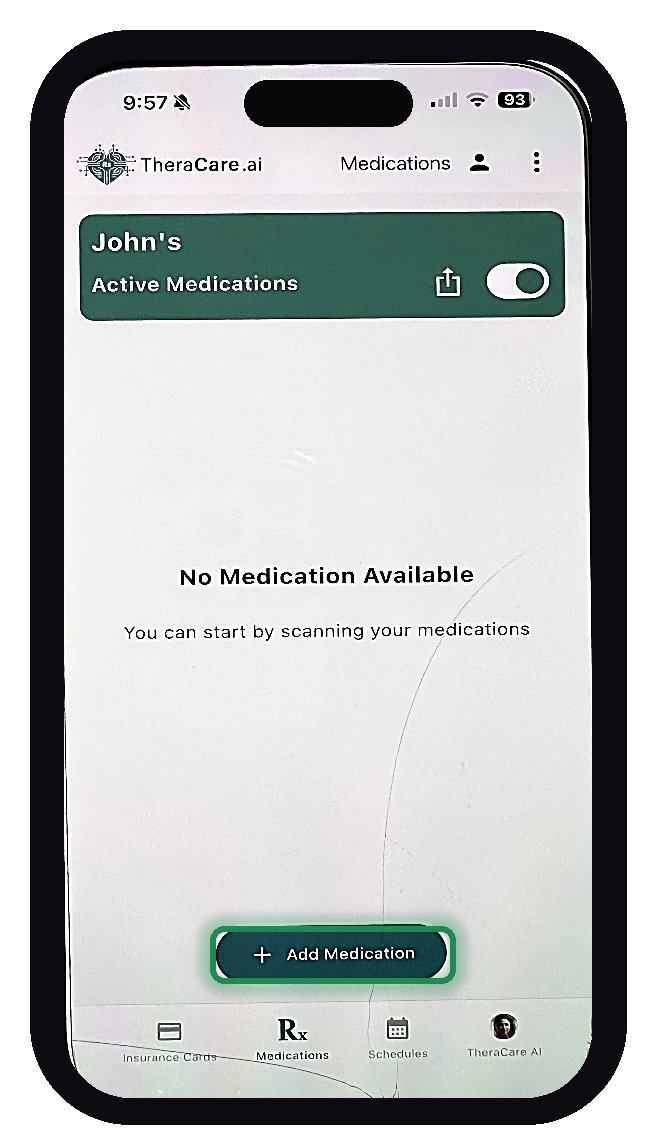 Step 1
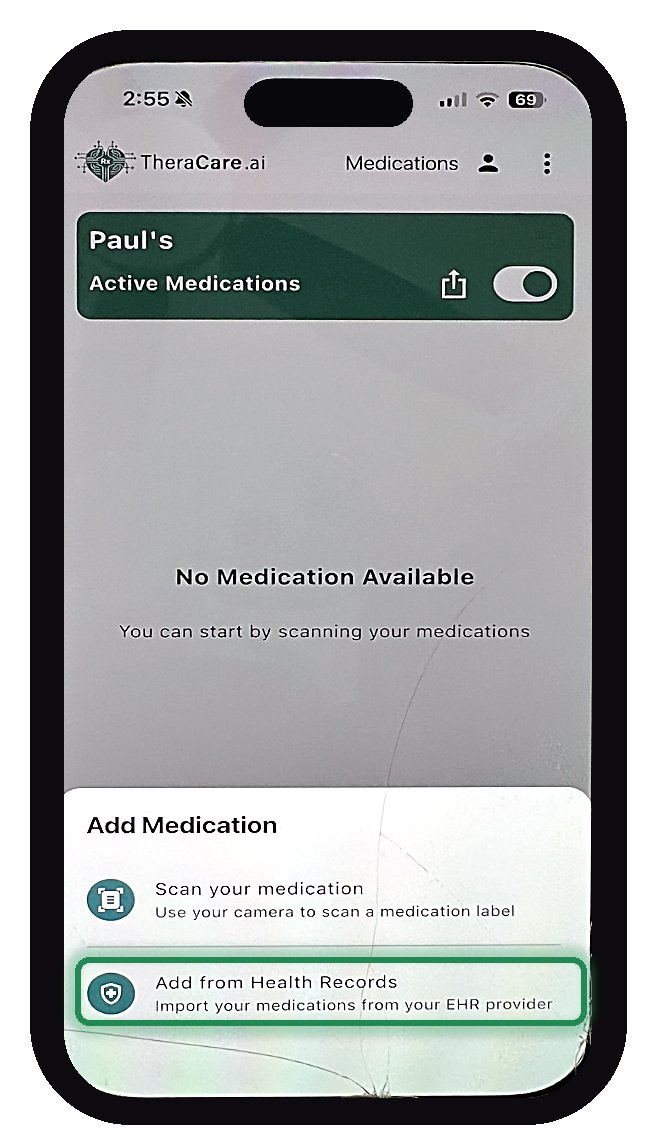
Open Medications and tap + Add Medication.
 Step 2
Tap Add from Health Records.
 Step 3
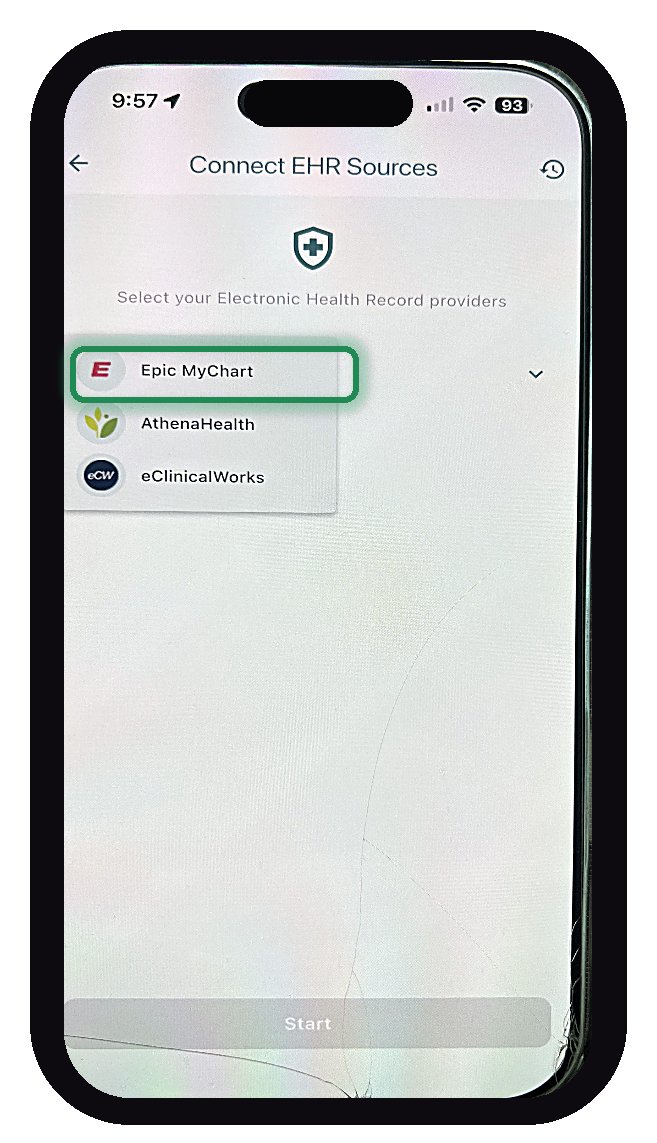
On Connect EHR Sources, tap the system your hospital uses.
 Step 4
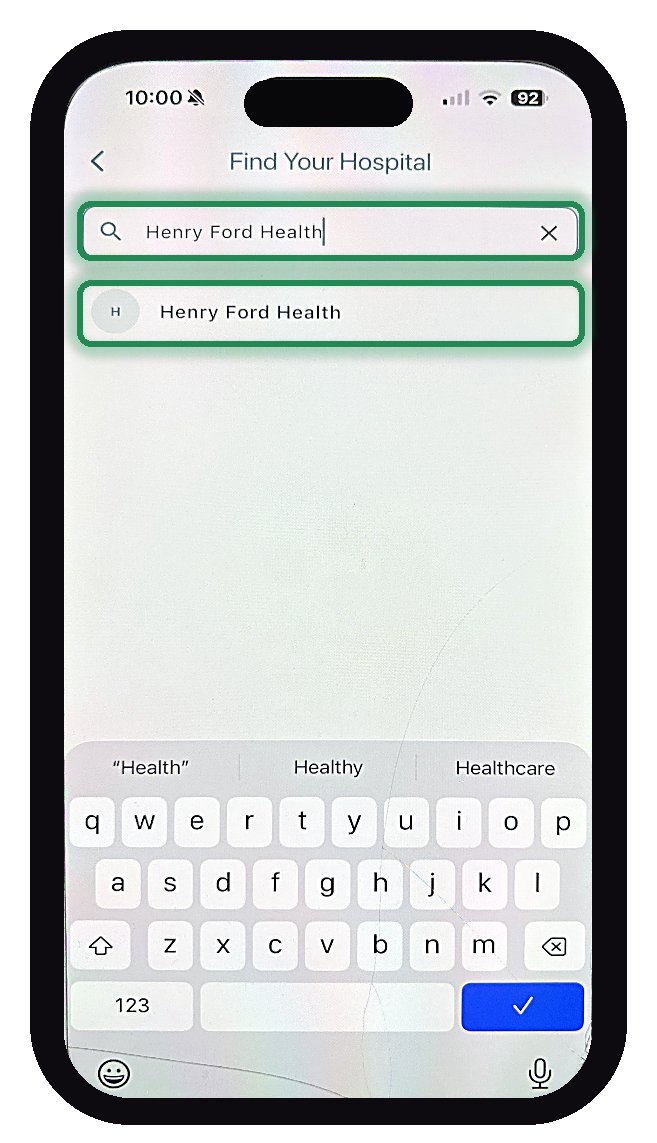
Type your hospital's name, then tap it in the list below.
 Step 5
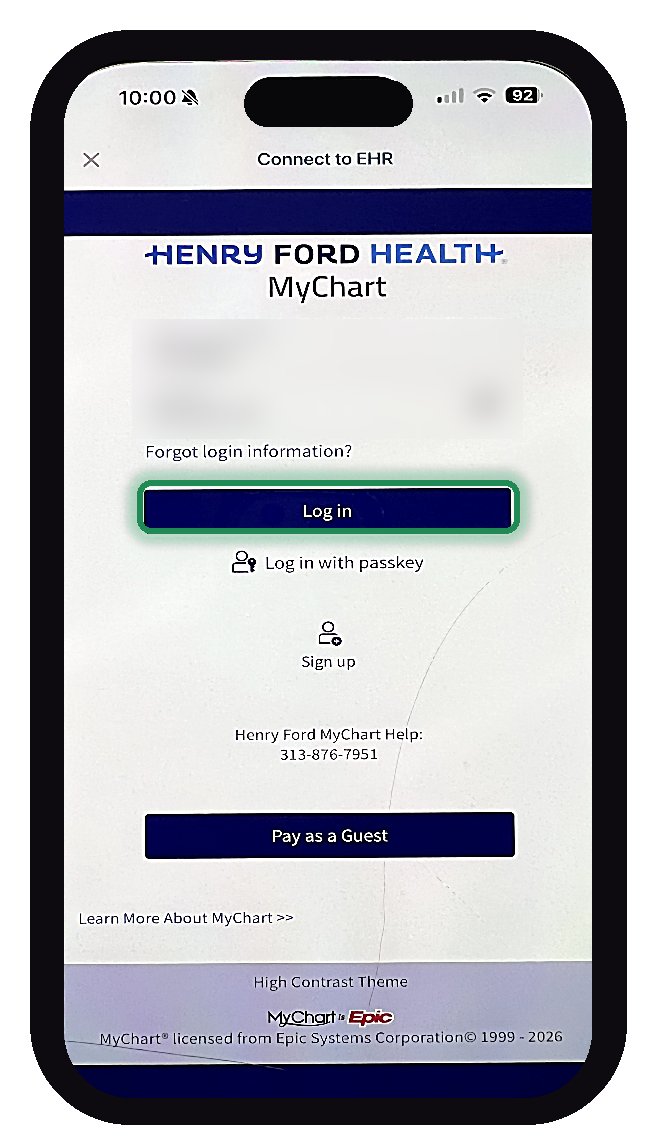
Use your portal username and password, then tap Log in.
 Step 6
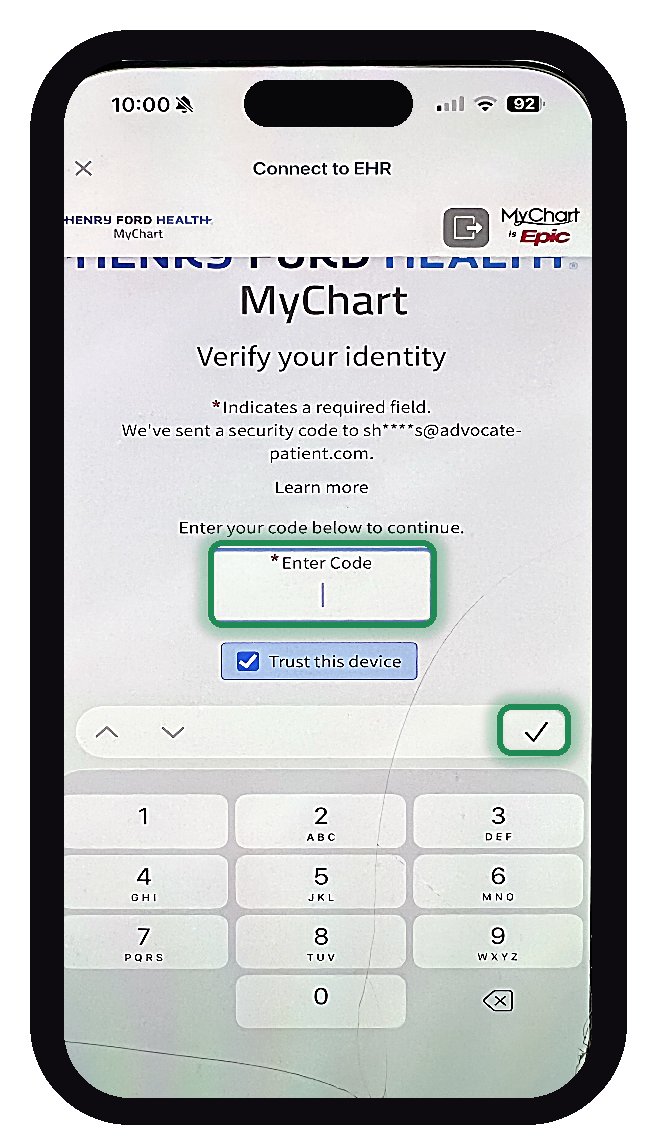
Enter the security code your hospital sends, then tap the checkmark.
 Step 7
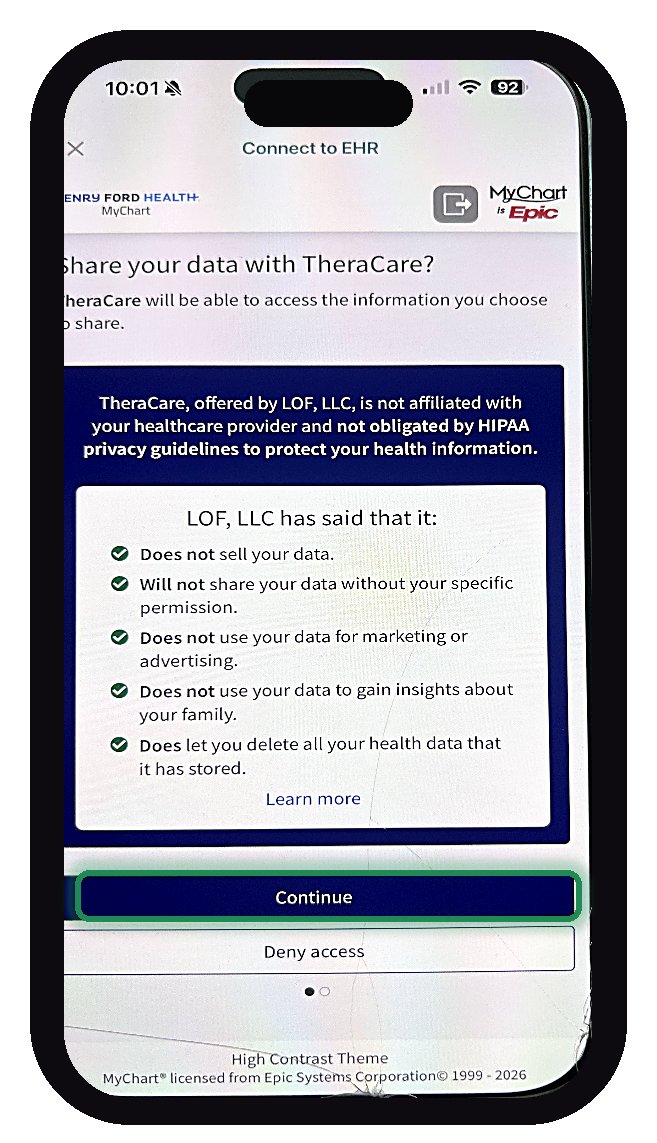
Read your hospital's notice, then tap Continue.
 Step 8
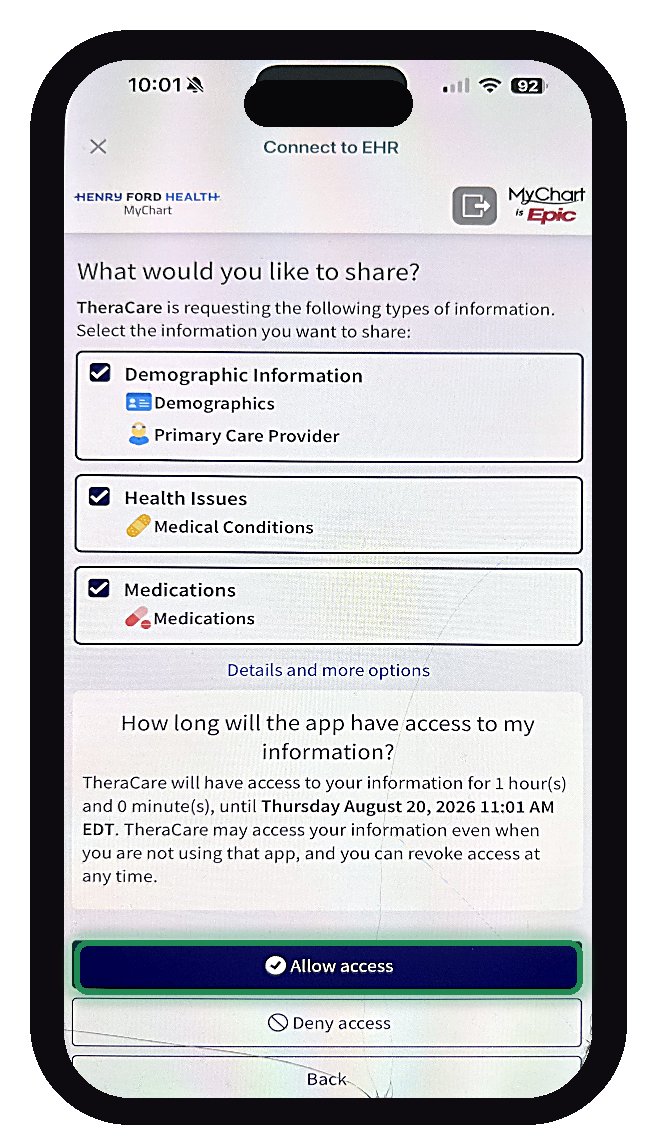
Leave all three boxes checked, then tap Allow access.
 Step 9
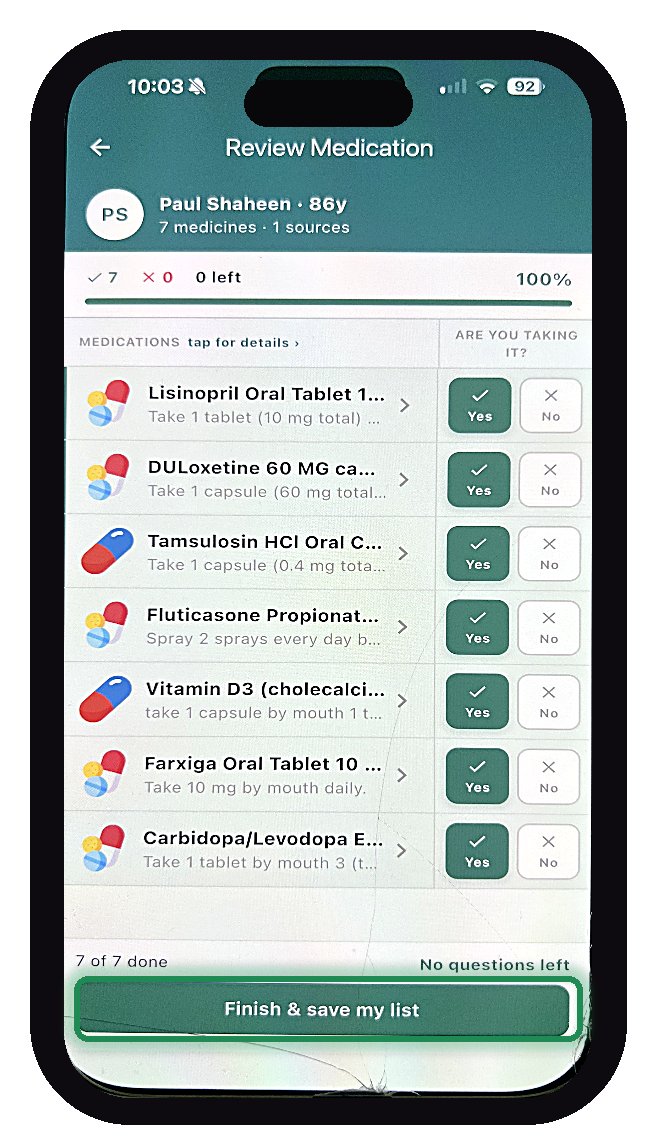
Tap into each medicine to check the dose and fix anything wrong. Then tap Yes if you still take it and it looks right, or No if you don't, and finish with Finish & save my list.
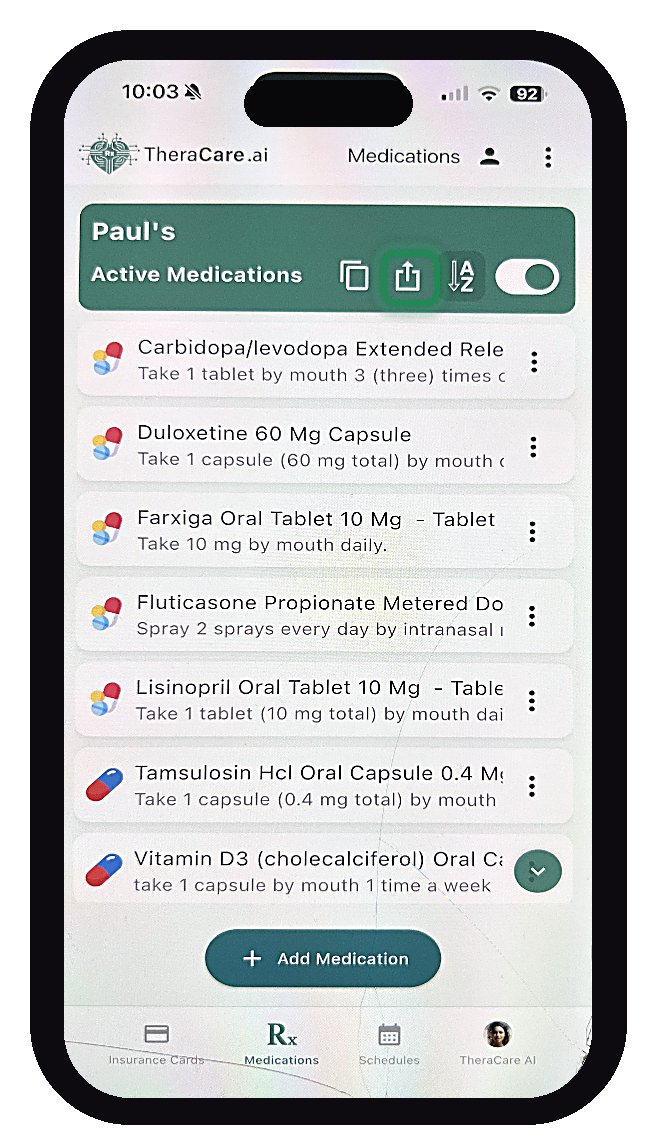 Step 10
Tap the share icon in the green bar to save a copy.
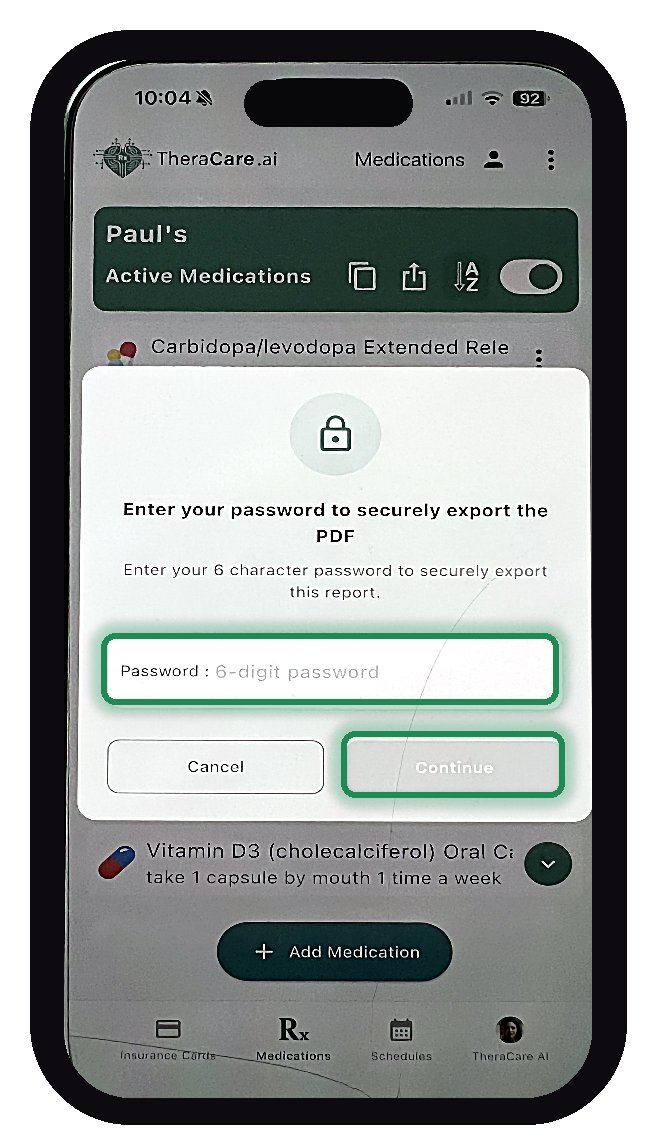 Step 11
Set a 6-character password and tap Continue.
Your medication list is saved in TheraCare and ready to share with your care team.
Pilot results · Cumulative Weeks 1–11
TheraCareAI is being piloted with Advocate LLC, our patient advocacy partner. The pilot began August 1, 2026, and compares medication information from the EHR and Exchange against a list reviewed directly with each participant and verified by a healthcare professional.
patients onboarded: 81% of the base target and 97% of the Week 11 cumulative target. Stretch target: 100.
discrepancies logged: 131 EHR, 346 Exchange, and 4 patient-reported.
approximately 8 on average. Counts are unevenly distributed; some patients had no discrepancies.
Approximately 17% of observations involved an active medication with the wrong drug, wrong dose, or a potentially harmful interaction that could affect a clinical decision.
The largest category: outdated or inactive medications still listed accounted for approximately 54% of discrepancies, carried forward in both EHR and Exchange information.
Interim cumulative findings through Week 11, not final results. This is a 13-week directional pilot, not a clinical trial, and the sample is too small to support population estimates. Observations are counted per source, so one underlying issue may appear more than once. These totals do not establish the proportion of patients with discrepancies, and do not show that an adverse event occurred or was prevented.
Who it's for
Review what your records say, identify differences and share a professionally verified list with your care team.
Gather and compare medication information before reviewing it with the client. Establish a verified baseline together.
Bring TheraCareAI to your practice →Let patients submit medication information through the portal before a visit. Clinicians can review a prepared list and flagged differences instead of re-typing it.
Partner with us →Why partners choose TheraCareAI
Patients enter and verify their medications where they already manage their care, before they arrive.
EHR data, exchange data, and the patient's own report are tracked independently, so you can see exactly where the record and reality diverge.
Clinicians and staff validate a prepared list instead of transcribing one from memory or paper.
The verified baseline is a starting point. TheraCareAI is designed to track medication changes after later visits and signal when another review is due.
Integrations
Exchange information is cross-checked for every pilot patient. A photo of a discharge medication list is now supported as a baseline.
Through Week 11, 5 app issues were logged: 4 fixed and 1 open. The Piedmont Healthcare FHIR connection remains open, logged since August 17.
Trust and responsibility
The research behind it
TheraCareAI grows out of a research program that began with NIH-funded work on medication adherence and remote medication monitoring, and continues today in our LIPI-KG research series on connecting what's prescribed to what patients actually do at home.
FAQ
TheraCareAI is developed by Leap of Faith Technologies, Libertyville, Illinois. Pilot conducted by Advocate LLC, comparing EHR and Exchange medication information with a patient-reviewed, professionally verified list.